
Why do you need wireflows vs wireframes?

January 8, 2025

The Benefits Of Using Wireflows
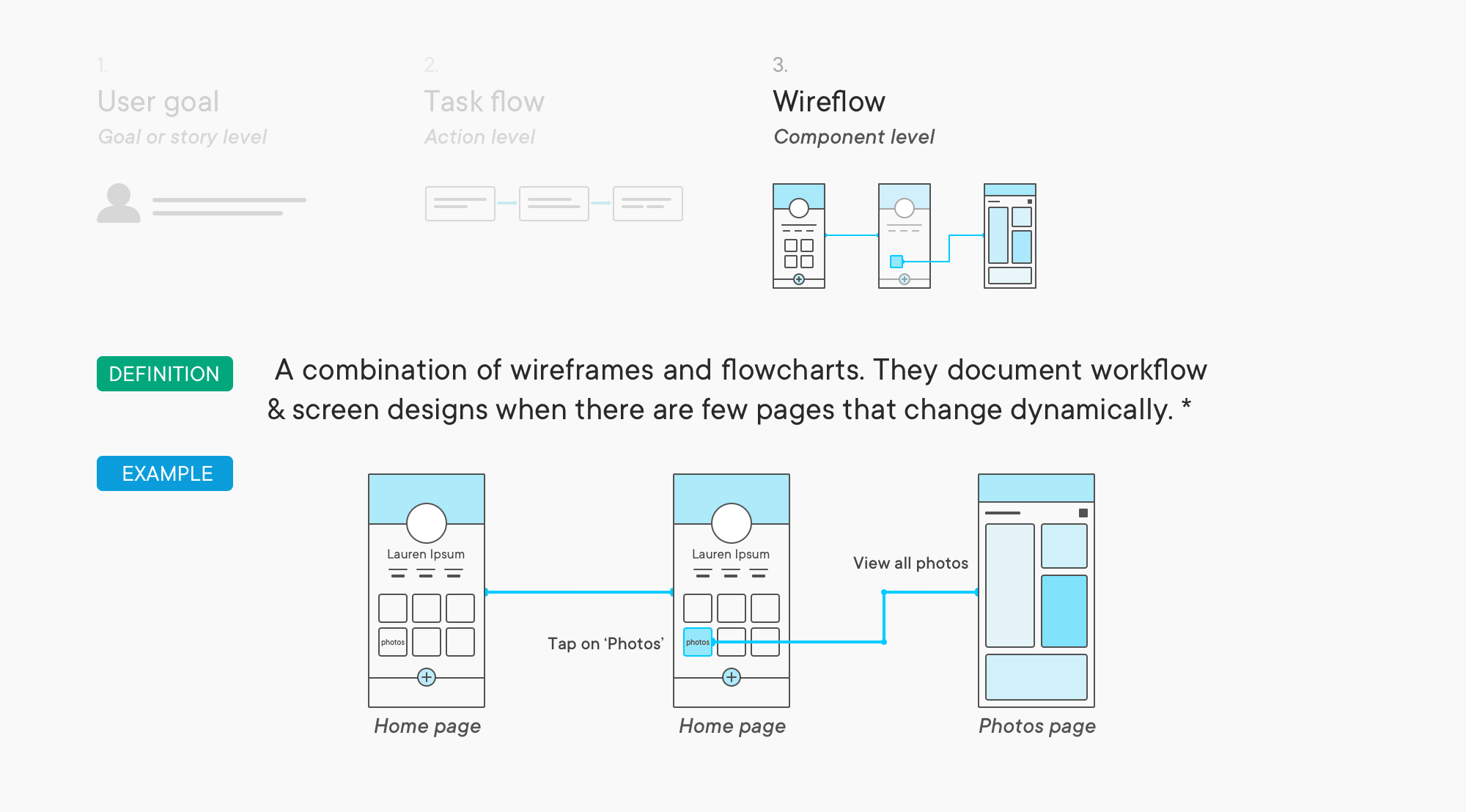
There are many styles of mappings to use for product design. One flow map that uses wireframes is called a wireflow. Wireflows are a detailed layout combining wireframe pages with flow charts. In comparison, user flow charts focus on users’ pathways and actions, and wireflows document complex designs. It uses any style of wireframes with a detailed look at all interactive features that users can interact with.
Read more- The Power of User Experience in Digital Marketing
Wireframes Only Show Layout
Wireframes, although suitable for documenting discrete pages, don’t show the user workflow with a task. It doesn’t provide details on users’ interactive feedback when hitting a button. When a user taps or clicks on a CTA, it is called micro-interaction, and it is essential to ensure no errors occur. It’s also crucial that the flow works smoothly. Wireframes show the basic layout of a page and its content and components.
Read more about wireframes in our previous article- Why wireframe is essential for product success.
User Flows Need More Detail
User flows are good for showing a complex workflow but don’t show a detailed look at the UI. It doesn’t show the essential components and buttons that users will use to interact with them. It looks at users’ decisions and actions but does not display UI features visually.
For new products, a wireflow is the perfect tool to leverage. Product managers can combine wireframes and user flow charts. Team members can validate the flow of their product with a visual representation of features. The flow arrows and information for each part of the task will help. Communication can improve and will be easy to present to stakeholders. It saves time from drawn-out questions.
For mature products looking to grow, a drawn-out wireflow for an existing product can help. Visualizing how design aligns with the product user flow can help determine what product is not retaining users or seeing growth in ROI. Having a wireflow for this product can spot what’s working and what isn’t.
Learn more about tools-
Comprehensive Guide To Top Wireframe Tools On Budget
Top 20 Marketing Tools To Attract Customers
Top Reasons To Use Wireflows
Alexander Handley
There are specific ways wireflows can be helpful with the product design:
- Better collaboration
- Prevent project errors and costly redesign
- Good for brainstorming
As mentioned before, wireframes can improve collaboration between developers and stakeholders. With wireflows significantly improves collaboration with a clearer and detailed view of the product. Using a flow for each page and interaction, team members can look at what happens when a user clicks a CTA. They can determine the visual feedback given to users, looking to see if its user or system is triggered.
Learn more- User Experience Trends You Need To Know To Advance Digital Transformation
Ryo Mac
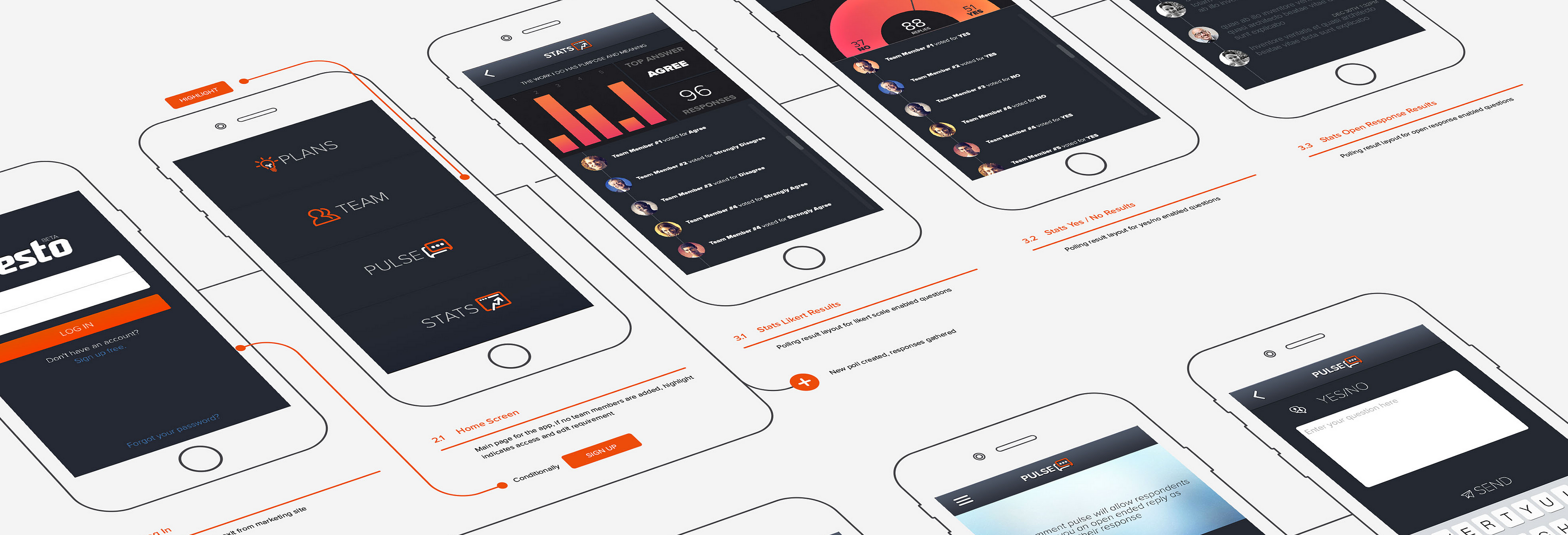
Wireflow shows a typical path a customer or user would take with the product. It lays out the essential components shown in wireframes. It then uses arrows for two reasons:
- To show the button or interactive element, users are clicking
- Where does it take users, or what changes on the app
Better Collaboration Between Team Members
Developers can determine if the app incorporates the proper feedback (micro interactions). It looks at the user’s pathways to reach the final action. Better communication will result as it gives a detailed structure. Developers can easily interact with stakeholders using wireflows. It breaks everything down, showing every detail and product flow.
Read our success story where we used wireflows extensively- 6x efficiency achieved
Cut Back Errors Significantly
With better collaboration, it will prevent any significant errors in product design. During the wireflow process, it can be done quickly if anything is out of place or needs to be changed. With wireflows documenting the entire layout of an app, it may take some time to find the problem. The benefit of this is that team members can start from the beginning.
Learn more- Hick’s Law: Reducing Choices For Interface Design

Shutterstock
Having a better look at everything will fix many problems or risks. Stagnant products that have seen no engagement can make the necessary changes. It will save them time and money from having to re-design. New products can prevent costly re-design and project errors as well.
How can you reduce user errors?
Read more-
How do you reduce user errors and improve the product user experience?
The Power of User Experience in Digital Marketing
Brainstorming Kicks in A New Gear
The best thing wireflows can help with is brainstorming. At some point in the building process, team members and product managers may encounter issues. Wireflows can help with the layout of individual screens and how the user navigates from one screen to the other. With wireflows showing all interactive features on a page, team members can generate many ideas.

Kelly Sikkema from Unsplash
Wireflow suits new products in a slump, but we need more ideas before building the product. Wireflows will help product managers uncover better strategies for stagnant products. It can help change courses for processes that aren’t helping with retention and growth.
Learn more- Apple AR: Everything You Need to Know
Wireflows Help Employees Understand Better
Kiran Kumar
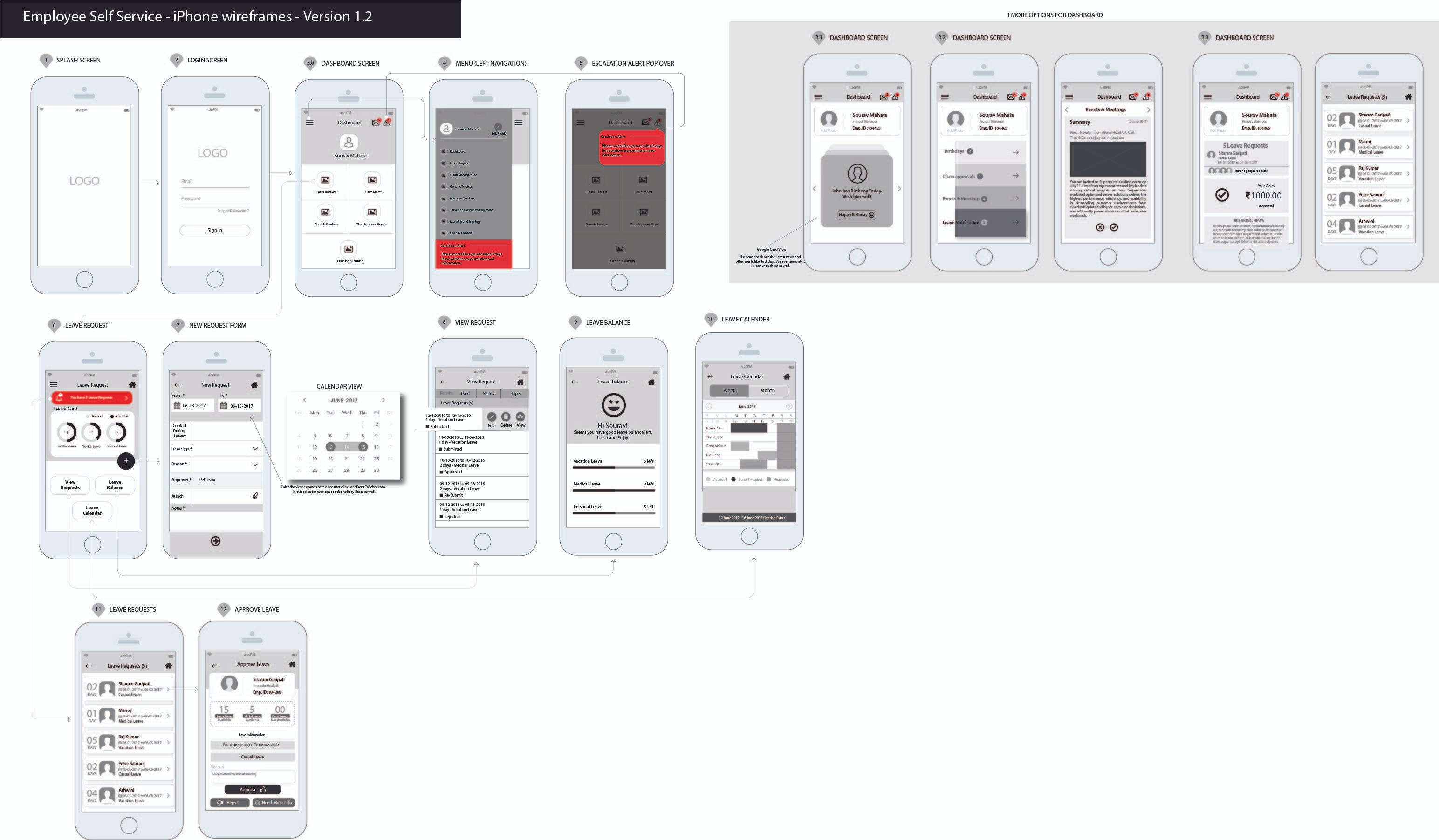
Wireflows are suitable for employees also. They can be a helpful tool for employees who are a part of the design and development process. These employees must look at all the interactions, buttons, placement, and pathways users will take. They will need more than a simple wireframe that shows the layout. They need a more detailed flow that offers the specifics of the UI.
Employees facing products can benefit from the same thing. Examples are employees using apps to track items or for customer service. Wireflows can help them learn all the pathways by giving a detailed look at each page. Showing visual feedback (micro interactions) for what happens when customers click on a button shows them the pathways, the pathways for each control, and whether it will transfer to a new page or change the existing one.
Read our success story- UX research study closed a multimillion dollar deal
Wireflows Do Not Increase The Budget
Wireflows are easy to make and don’t require additional paid tools. No budget is required to design wireflows, making it easier for product managers and decision-makers. It will save money for enterprises. There are many free digital tools to use that have free versions. Tools such as:
- Figma (Windows, iOS, Web)
- Wireflow
- Overflow
Conclusion
Choosing between wireflows and wireframes is not that challenging. You can always start with wireframes and use wireflows to clarify user flow further. You can always link wireframes for additional validation. If you need more information, we can help. Contact us to get started. Learn more about us, our pedigree, and our team’s client testimonies.
Editor’s note: This post was originally published in April 2021 and has been updated for comprehensiveness.