
Top Wireframe Software On Budget-
A Comprehensive Guide

January 7, 2025

Why Do You Need Wireframe Software?
Wireframes help product managers, UX designers, and stakeholders visualize product concepts. Although mockups are easy to create, some UX designers and stakeholders may not prefer to create wireframes digitally. It’s best to decide which tool is best suited for the company culture. Product managers and staff may find it overwhelming to determine what wireframing tool to use for mid- to high-fidelity products.
We successfully launched over 600 products with our proven product design process- learn more about our UX Design capabilities.
Product Stage
New and established products can benefit from the right tool. After creating a sketch of a wireflow, teams need to choose the best tool for development and the stakeholders involved. Product managers will discuss using an existing mockup or creating a new one from scratch. Managers might revise current drafts or decide to start over for mature products.
There are many free tools available in the market. Some of these don’t require subscriptions or monthly payments, which helps early-stage startups save money.
Product managers want tools that are easy to use and not cluttered with too many buttons or options. They prefer tools that are simple to navigate. Features such as built-in templates, flow chart tools, drag-and-drop functionality, and the ability to add comments are essential for them.
Learn more about different aspects of product development and marketing to make the product successful-
Top 20 Marketing Tools To Attract Customers
A Guide to UX Research Strategy
UX Research: Everything You Need to Know
Choosing the Right B2B Mobile App UX Design Company
Top Three Wireframing Software For Better ROI
The top three options also provide tools for the entire design process. This includes features for creating user personas, user flows, information architecture, and user interface design for both mobile devices and desktop applications.
- Miro
- Balsamiq
- UXPin
Miro
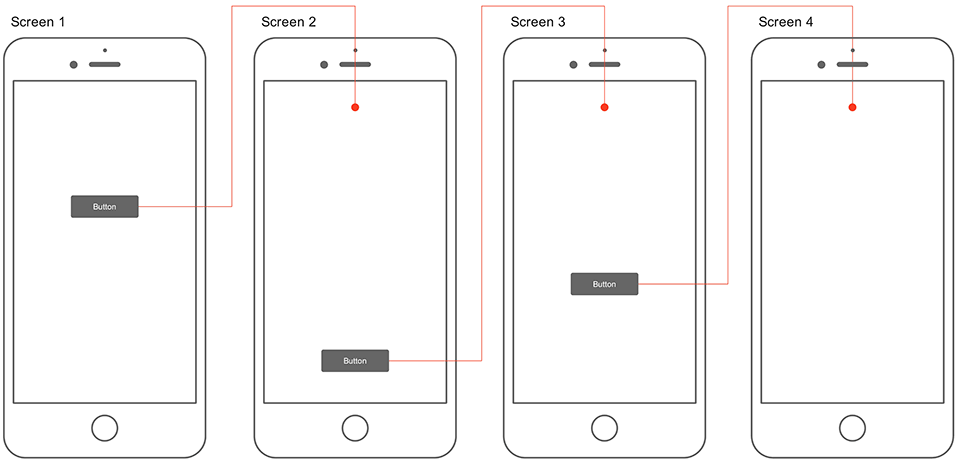
Miro is suitable for offering tools for easy collaboration and creating low and high-fidelity mocks. The free version provides a range of shapes and presentation tools. Windows and iOS users can use this tool anywhere. It can create customer journey maps, user flows, site maps, information architecture, low and high-fidelity mock-ups, etc.
Learn more – Why do you need wireflows vs wireframes?
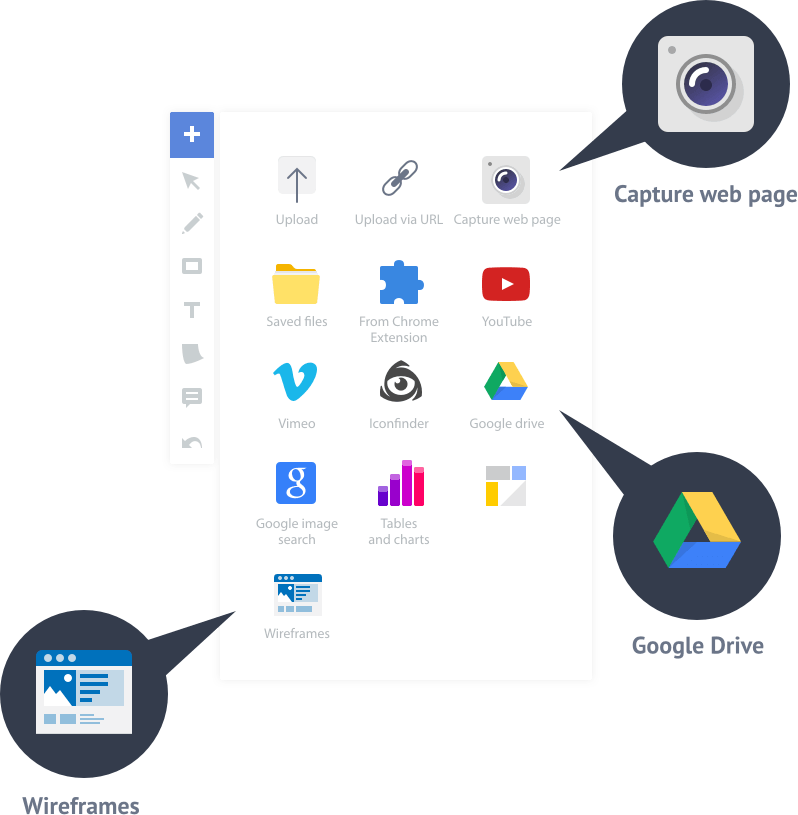
Users can communicate seamlessly, utilizing video chat features and efficient feedback collection. This solution aligns perfectly with the Agile product development process, allowing teams to collaborate in real time.
Miro is compatible with various platforms, allowing users to collaborate on mobile devices or desktops. The design works well on all devices and operating systems. The light background makes it easier for people with visual impairments to read. Plenty of white space helps users focus, and the board layout keeps things organized. This design is great for brainstorming, planning, and developing strategies.
Read more on UX strategy- How To Leverage Proven UX Strategy To Grow Your Company Revenue.
Balsamiq
Balsamiq is an easy tool for creating simple low-fidelity wireframes. It has a short learning curve, making it quick to start using. It offers an easy drag-and-drop tool on a simple display and a built-in library with UI components to avoid wasting time creating objects. It’s the most straightforward and best tool for newbies or those who don’t have time to learn complex tools with too many confusing options.
Balsamiq is notable for its simple design and layout. Users can quickly and easily create mocks. The design employs ample white space, enhancing focus, and features a light screen for improved readability.

Balsamiq
Balsamiq works on any device. It works on Windows, Mac, and the web.
Balsamiq is user-friendly and convenient for stakeholders with varying skill levels, such as
- Business owners
- Product managers
- UX designers
- Business analysts
UXPin
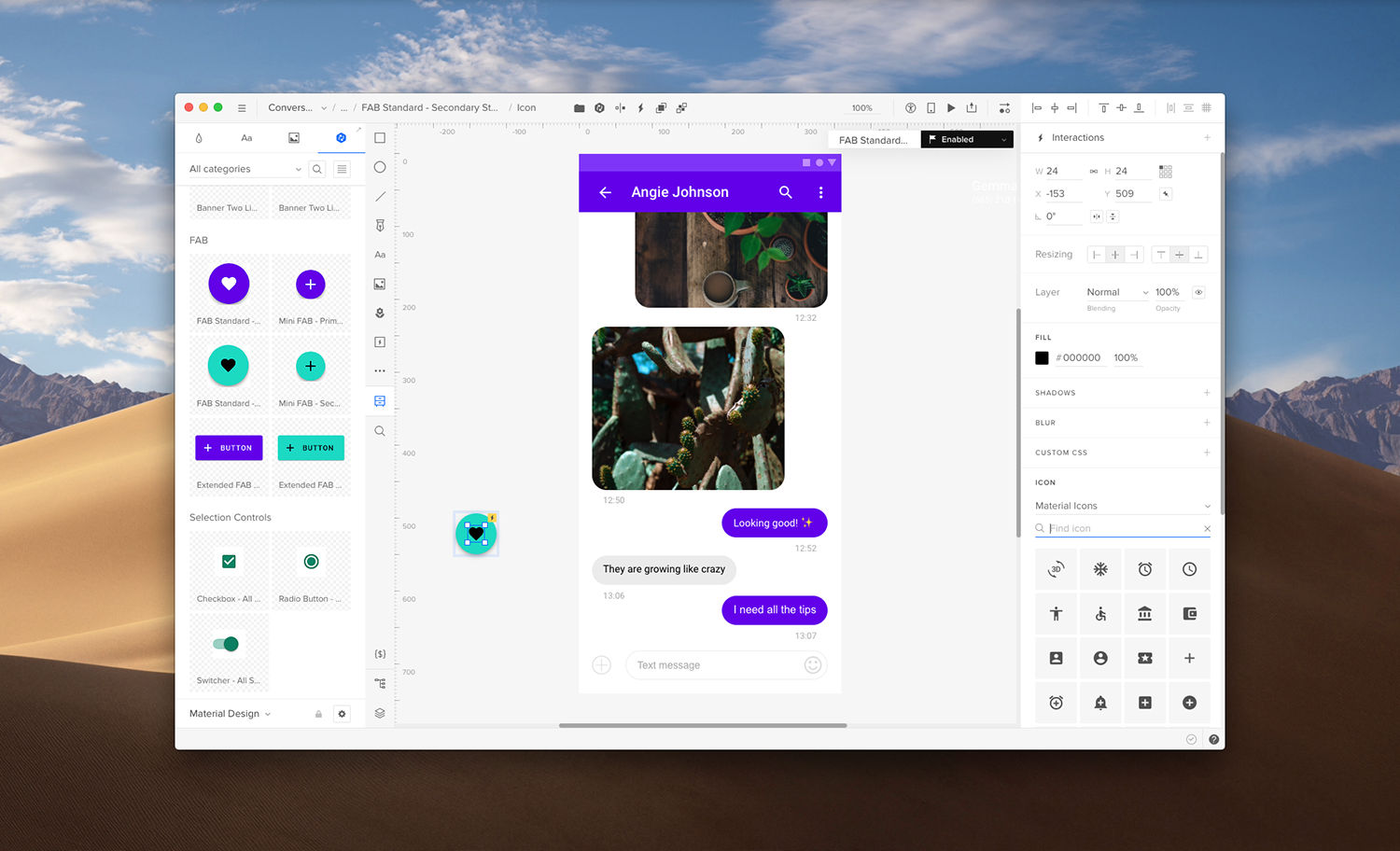
UXPin is an excellent learning tool for those interested in user interface design and is also well-suited for collaboration with developers. It features a built-in library of UI elements that users can easily drag and drop onto the board. The toolbar is user-friendly and straightforward to navigate.
Prototypes created with other UX tools, such as Sketch, can be imported into UXPin. This tool is ideal for adding interactions and collaborating with developers. Users can leave feedback, utilize a live chat feature, and work on projects simultaneously, similar to Google Docs.
Interaction Design Foundation
One key benefit of UXPin is its focus on accessibility for people with visual impairments, including color blindness. It’s encouraging that UXPin follows the Web Content Accessibility Guidelines, which helps ensure everyone can use the platform effectively.
Best Wireframe Software Helps Build Collaboration With Employees

Shutterstock
User interface design tools can unlock tremendous potential for employees. They help team members create and develop excellent products, are handy for small businesses, and promote creativity and teamwork.
Adding live chat features allows employees to share ideas quickly. Real-time collaboration lets everyone work on the designs simultaneously, making the process more engaging. Simple drag-and-drop functions enhance usability and enable smooth interactions.
This method reflects Agile UX principles. It encourages collaboration between stakeholders and the product development team, including product managers, UX designers, and engineers. When they work together, they can develop excellent solutions that drive success.
Choosing The Right Price Plan

Shutterstock
Although some companies offer free plans for wireframing tool, others come at a small price.
Miro
Miro offers four different pricing plans:
- Free plan – $0
- Team – $8 per member/month billed annually
- Business – $16 per member/month billed annually
- Enterprise – Custom Pricing/month billed annually.
Each plan provides valuable features. The free version has three editorial boards and ready-made templates. The team plan offers unlimited boards and lets in external viewers and commenters. The business plan includes single sign-on, day passes for occasional collaborators, and access for external editors. The enterprise plan provides advanced security and allows for managing multiple teams.
Balsamiq
Balsamiq has attractive prices for early-stage startups on tight budgets. They have plans set for enterprises based on the number of projects they’re working on:
- Two Projects – $9 month / $90 a year
- 20 Projects – $49 per month / $490 a year
- 200 projects- $199 per month / $1,990 a year
UXPin
UXPin offers three types of payment plans:
- Basic – $19 per editor/month
- Advanced – $29 per editor/month
- Enterprise – Custom
The basic plan includes several features: unlimited prototypes and reviewers, interactions and animations, and password-protected previews. The advanced plan is the most recommended option. It has everything in the basic plan, plus extras like expressions and contextual documentation.
The enterprise plan includes all the features of the basic and advanced plans, plus extra benefits. The customizable payment plan offers training, onboarding, and access to design systems.
Conclusion
Product managers always look for the right tools to work on a project and foster collaboration. Choosing the right wireframe software can help achieve those goals. If you need help selecting the right tool, designial can help- Talk to us.
Editor’s note: This post was originally published in June 2021 and has been updated for comprehensiveness.